Recommended: start chatting in momoAI.New
If you want to chat in the browser and switch nodes by load, bookmark the newer lobby at https://trygpt.asia/list/#/home first. The classic site still opens. In the same ecosystem, trygpt is the web node lobby, while momoai focuses on the API and monthly-plan console.
Open https://trygpt.asia/🧭 How to choose: start with your scenario
You don't need every option. Pick the one that matches what you want to do right now.
💬 Chat on the web right away
Use web mirror nodes and switch cards by load. Entry: old.trygpt.asia (classic) / trygpt.asia (newer).
🪪 You want your own official account
Top up Plus / Pro on your own ChatGPT account and keep using the full official site. Entry: chongzhi.chatgpt-plus.top.
💻 Write code and run agents
Use Codex Desktop / CLI with a relay API key; image generation is also available. Entry: momoai.asia.
🔌 Call models from your own project
One OpenAI-compatible key, many models. Entry: tryallapi.com.
🪄 Switch models on one page
In Trymodel, use one web workspace to chat, write, and search with ChatGPT, Claude, Gemini, and Grok. Entry: trymodel.chat.
✅ Prefer the classic lobby; the newer one still opens ✅ Official top-up is a separate path, not a mirror chat page ✅ For several models on one page, use Trymodel ✅ Prices and model lists follow the live console or page
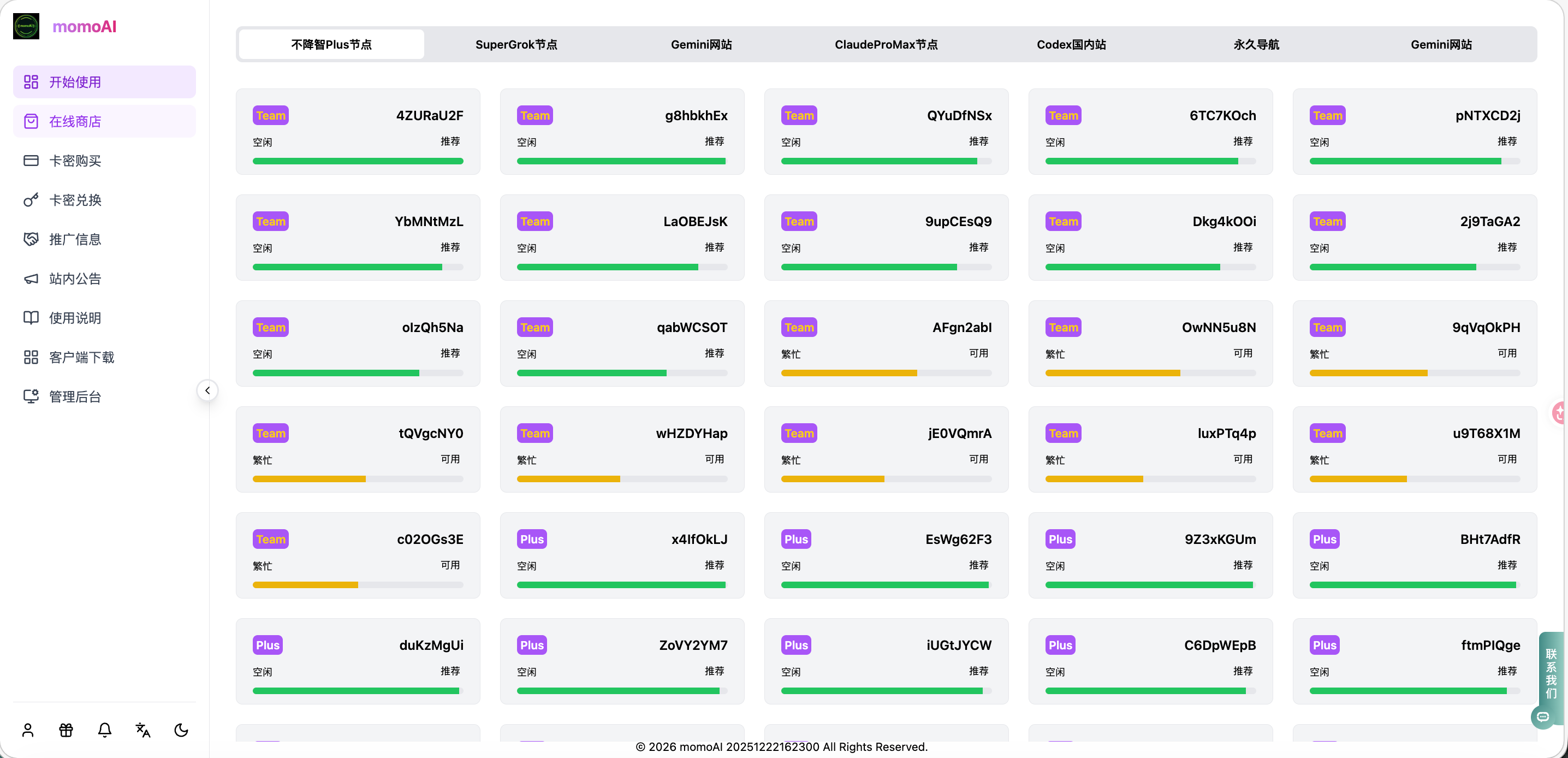
momoAI legacy web nodes (non-downgraded Plus nodes)
A “wall of node cards” style legacy lobby. The top bar switches among non-downgraded Plus nodes, SuperGrok, Gemini, Claude Pro Max, the domestic Codex site, and other entries.
Idle nodes are usually a green bar labeled “Recommended”; busy ones are a yellow bar labeled “Available.” If one slows down, just switch to another card. Web mirrors are good for opening a chat immediately, but they are not the same as having a full official account.
Entry:https://old.trygpt.asia/list/
Legacy domain redirect:https://maynorai.top/ → same as above
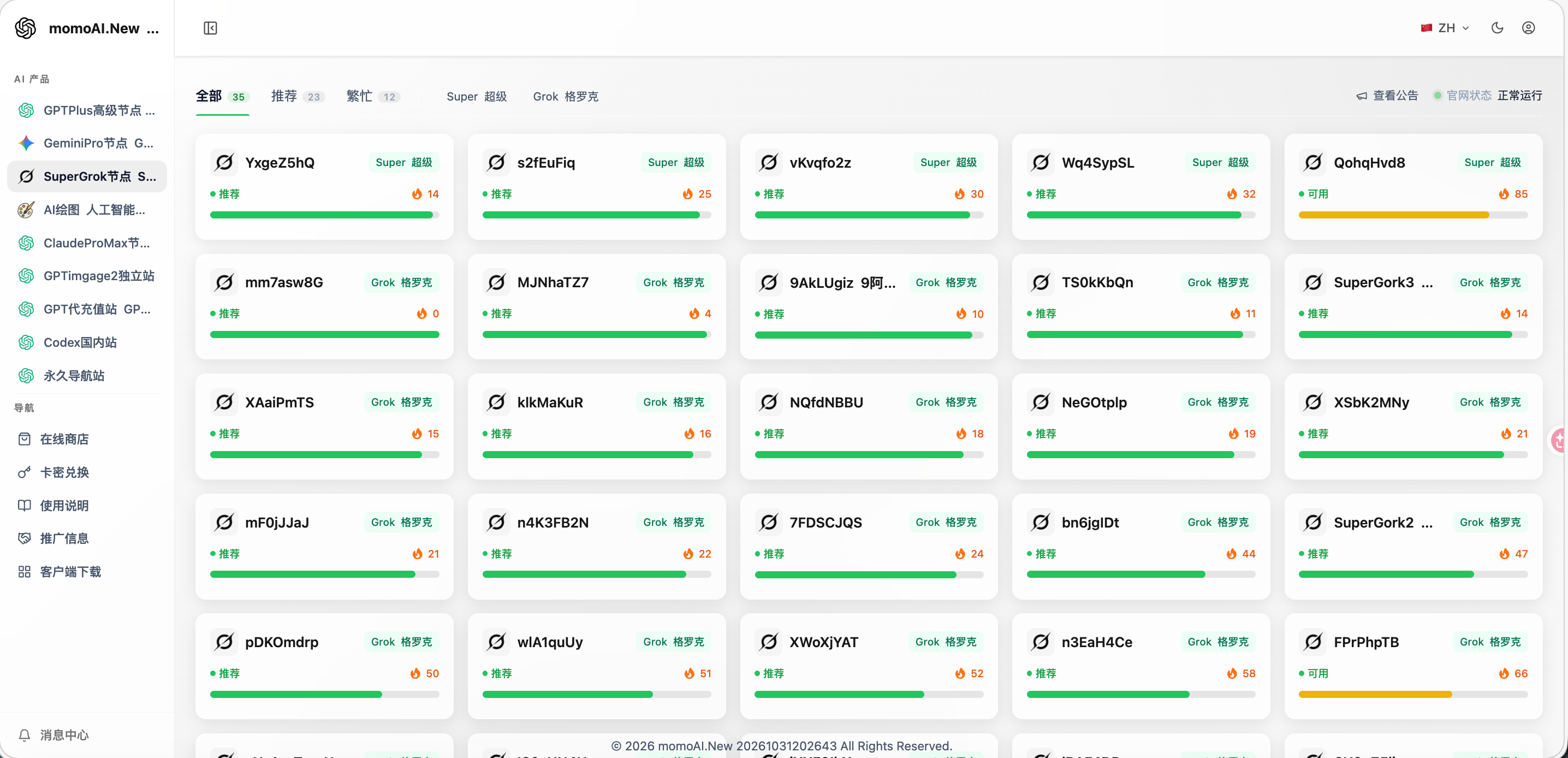
momoAI.New advanced node lobby
This is the newer lobby most people use now, branded momoAI.New. The left sidebar is organized by product: GPT Plus advanced nodes, Gemini Pro, SuperGrok, AI image generation, Claude Pro Max, the top-up site, the domestic Codex site, and more.
Nodes are shown as cards. You can filter by All / Recommended / Busy and see live load. Prefer a green bar with a lower number; a yellow “Available” bar means you can still get in, but it may be more crowded. If it says your subscription type doesn't match, buy a plan in the site shop or redeem a code first.
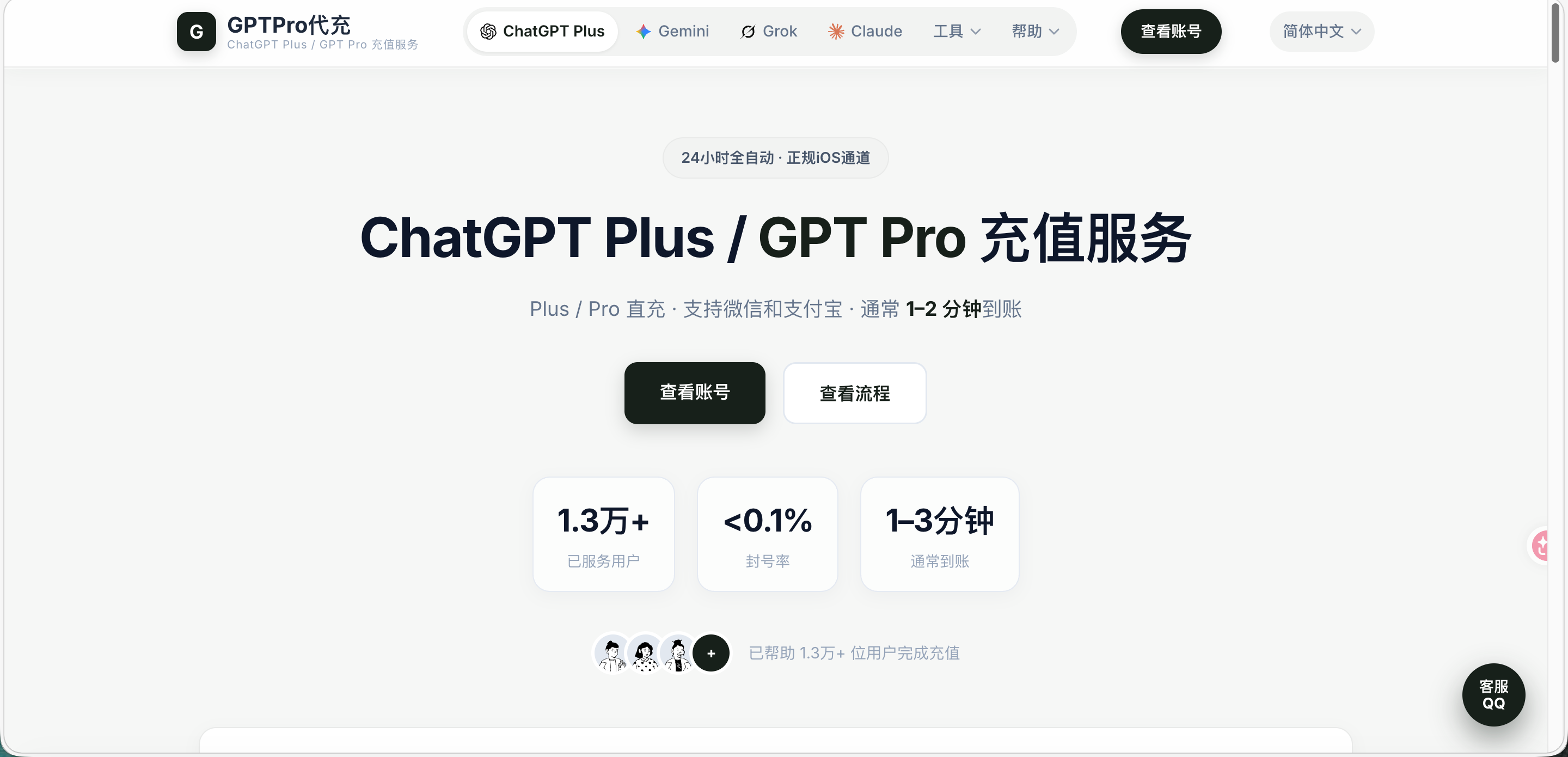
Official ChatGPT Plus / GPT Pro top-up
If you already have (or can set up) your own ChatGPT account and just cannot pay with an overseas credit card: top up Plus / Pro on your own official account, then keep using the official site.
The site describes itself as a “24/7 fully automatic, formal iOS channel,” accepts WeChat Pay and Alipay, and says credit usually arrives in 1–2 minutes. Promotional figures (13,000+ customers served, ban rate <0.1%, typical arrival in 1–3 minutes) are the site’s own claims; this page only restates them and has not independently audited them. The trade-off is that you must follow the site’s process and provide account-related credentials, which carries its own risk.
- Confirm you are on one of the two domains below, and stay away from look-alike sites of unknown origin.
- Only top up your own account. Do not buy “ready-made accounts” from unknown sources.
- Do not close the page during top-up, and keep your order and support records.
- Site promises (same-day refunds, ban warranties, and so on) follow the rules on that page—read them before you order.
Entry:https://chongzhi.chatgpt-plus.top/
Same-site backup:https://chongzhi.trygpt.asia/
⚠️ If you only want a quick chat, a web node is simpler. Choose this path when you want the account to be yours and the features to follow the official site.
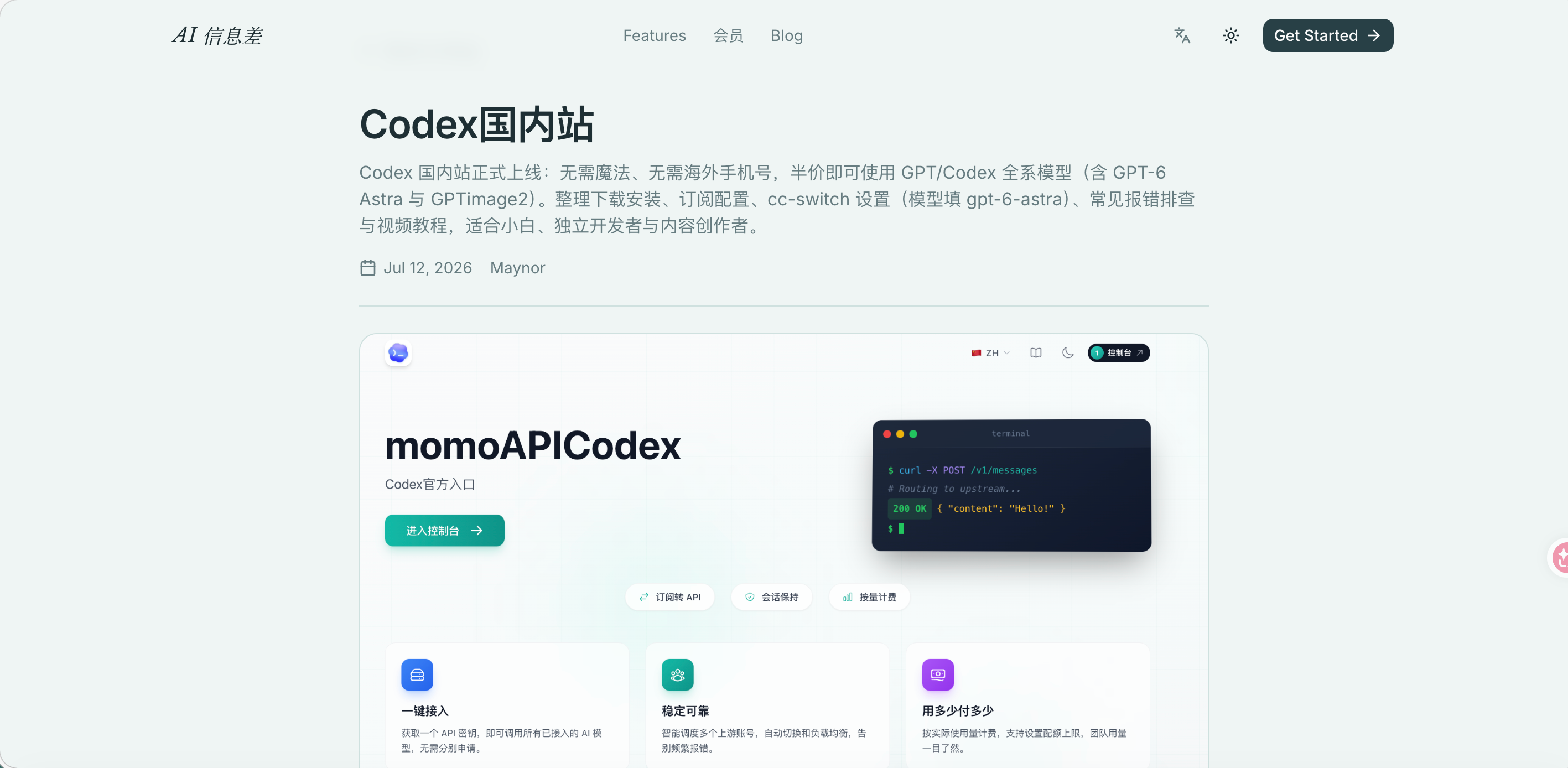
Domestic Codex site (momoAPICodex)
For people who want to write code or run agents with Codex Desktop / CLI, or also generate images with GPTimage2. This is not an official OpenAI subscription, but a third-party relay that can be reached from mainland China.
Register at momoai.asia, start a usage-based or monthly plan, create an API key in the matching group, then point the official client at the relay address with CC Switch. Updated 18 November 2026: GPT-6.2 Astra is now available; the model ID is gpt-6.2-astra. For everyday tasks you can also choose gpt-6.2-sol from the live console list. Plan prices and daily quotas change—follow the live console rules.
- Set the Base URL to the relay root, for example https://momoai.asia, not https://api.openai.com.
- The key must come from a group that supports Codex (often a monthly Codex group). The wrong group leads to “model not supported” or no quota.
- Use model IDs from the console list on the day; do not type names from memory that may already have been retired.
- If you previously signed in with an official Codex account, sign out first, then switch to the API key.
Service entry:https://momoai.asia/
Backup domain:https://codex.trygpt.asia/
Illustrated guide:AI Information Gap, “Domestic Codex site” (2026-07-12)
⚠️ The old domain https://codex.maynor1024.live/ still opens, but it is now a brand-upgrade notice and asks you to move to momoai.asia.
momoAPIPro / TryAllAPI aggregator
If you want to call models from your own project, script, or desktop client, this path is a better fit. One OpenAI-compatible Base URL, many models. It is not a ChatGPT web chat room.
The homepage is branded momoAPIPro. It promotes “10,000+ developers and 18 months of stable operation”; the actual model list, unit prices, and groups follow the console. Both this site and momoai.asia offer APIs: momoai is closer to Codex, monthly plans, and client relays; TryAllAPI emphasizes multi-model, usage-based access.
import OpenAI from 'openai';

const client = new OpenAI({
  apiKey: 'your-api-key',
  baseURL: 'https://tryallapi.com/v1'
});

const completion = await client.chat.completions.create({
  model: 'gpt-4o',
  messages: [{ role: 'user', content: '创造无限可能...' }]
});Entry:https://tryallapi.com/
Historical domain redirects:apipro.maynor1024.live、api.maynor1024.live → tryallapi.com
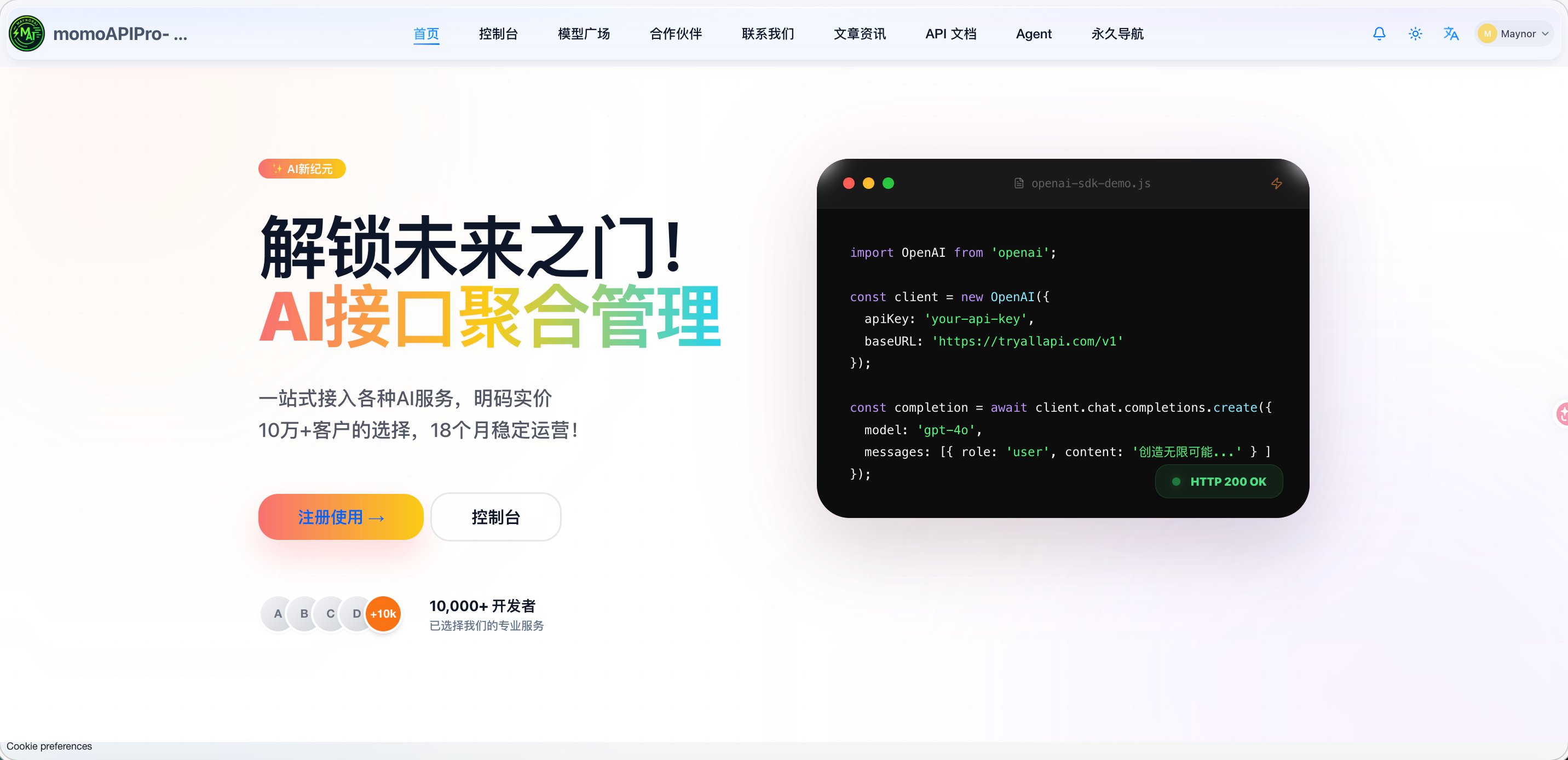
⚠️ https://api.maynorai.asia/ also opened on the day of checking, but it is a different Base URL. If you already use tryallapi.com, there is no need to switch; new users should start with the tryallapi.com address verified in this article.
Trymodel multi-model web chat
If you want to switch between mainstream models such as ChatGPT, Claude, Gemini, and Grok in the same web app — rather than tapping mirror-node cards by load — this path is a better fit. The site title is “Chat with ChatGPT, Claude, Gemini, and Grok on one platform.” It is for chatting, creating, and searching, not an official ChatGPT account.
The root URL redirects to /zh. The left sidebar has New Chat, Images, Search, Tools, Projects, and History; the top bar switches models. In the 18 Nov 2026 screenshot, the picker is on OpenAI GPT-6 Astra, with a prompt box plus shortcuts such as Help me write, Learn about, Analyze image, and Analyze document, and a Go Pro button at the top right. Which models are listed, whether you can try it unsigned-in, and plan prices all follow the live page.
Entry:https://trymodel.chat/
Root redirect:https://trymodel.chat/ → opens the Chinese page /zh
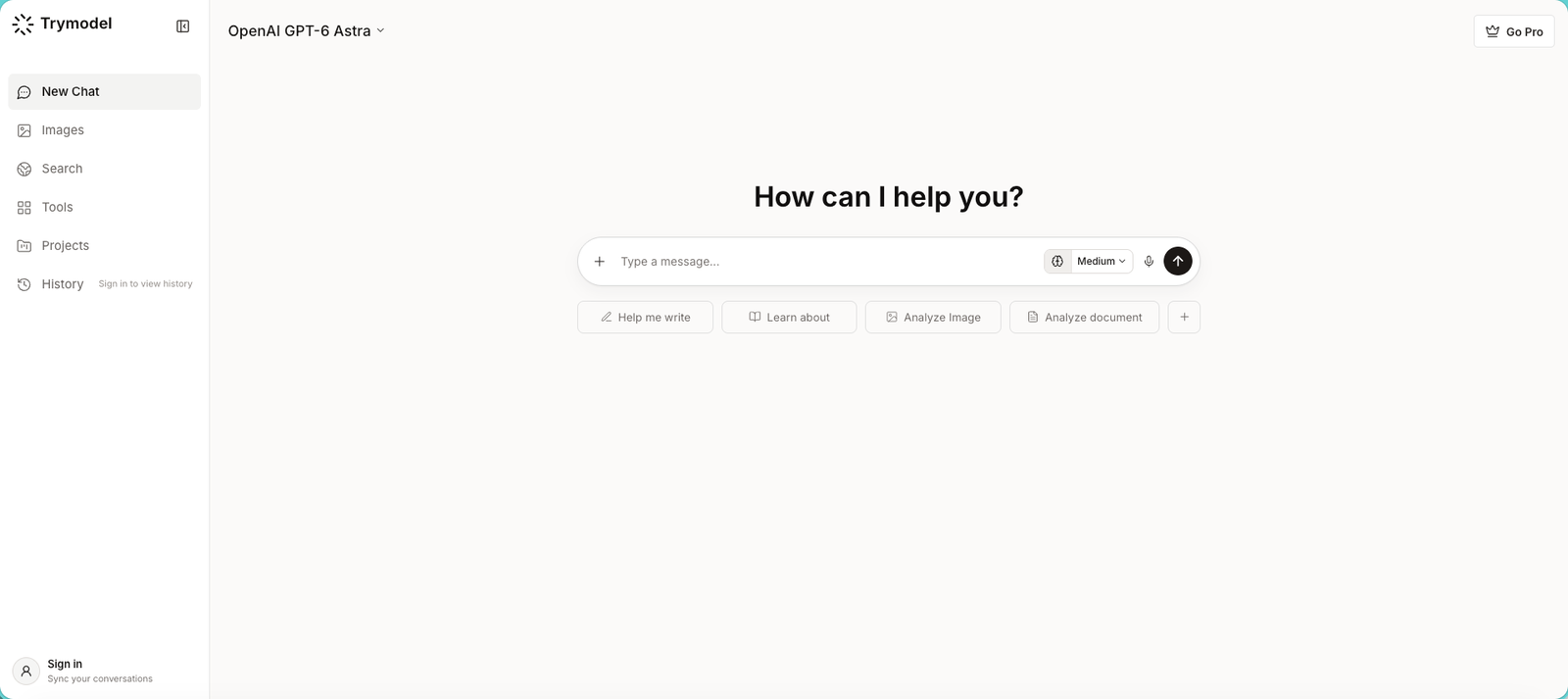
⚠️ Trymodel is a multi-model web chat. It is not an official ChatGPT account, and it is not the momoAI node-card lobby.
📊 Comparison and recommendations
A practical mix is: use momoAI.New for everyday web chat; use Trymodel when you want ChatGPT, Claude, Gemini, and Grok on one page; use official top-up when you want the official Plus experience; keep coding on momoai.asia + Codex; and use TryAllAPI when a product or script needs many models.
🗺️ Channel map (rechecked 2026-11-18)
Rechecked with public HTTP requests on 18 Nov 2026: the following 7 addresses still returned 200 and can be opened. The classic and newer lobbies are front-end single-page apps; the HTML shell titles only show ChatGPT / gpt. Use the screenshots in this article for the actual UI.
💡 Please read this before you start
🔑 Check the group and model ID first
If Codex or the API returns 401, has no quota, or says a model is not supported, it is usually a mismatch between the key’s group or the model name and the console—not that “the whole site is down.”
📌 Prices are only valid on the day
Do not paste keys or login state into chat or a public repository. For official top-up, double-check the domain. Monthly fees and bonus quotas in old posts or screenshots may be outdated. Please also follow local laws and the platform’s terms.
🔗 Backup domains and extra entries
These addresses were checked the same day and can be used as backups or extras, but they are not substitutes for the 7 primary entries above. When you need the latest URL, start from a trygpt / momoai / top-up / TryAllAPI / Trymodel address you have already confirmed opens.
❓ FAQ
I just want to open a page and start chatting. Which one should I pick?
What if I want the full official features and my own account?
Where should I go to write code or use Codex?
I want ChatGPT, Claude, Gemini, and Grok on one page. Which should I pick?
What if a domain will not open?
🎯 Bookmark one entry that actually opens
For web chat, use a node lobby; to switch several models on one page, use Trymodel; for an official identity, use official top-up; for coding, use the domestic Codex site; to call models from your own app, use the API aggregator.